The voice key — BytePlus Seed Speech
Optional. It generates a voice sample for a character from a description or a portrait. You can also just upload an audio file instead — the key only matters if you want the studio to synthesise the voice for you.
401 Invalid X-Api-Key, and pasting this key into the video field fails just as reliably. Same console, same account, two different keys.
-
Open Seed Speech in the console
Sign in at console.byteplus.com — the same account you use for ModelArk — and find Seed Speech in the product list.
If you haven't set up BytePlus at all yet, start with the video key guide: it covers registration and payment details.
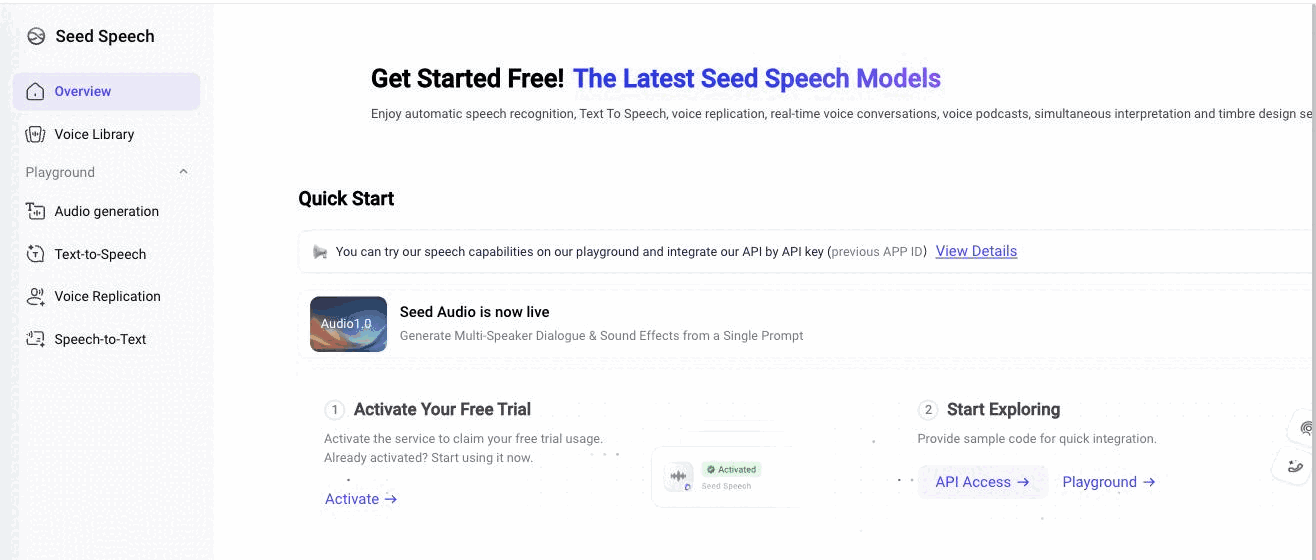
Seed Speech is its own product in the console, with its own API Key section in the sidebar. -
Create the key
Inside Seed Speech: API keys → create. Copy it into the studio: account menu → API keys → the voice field.
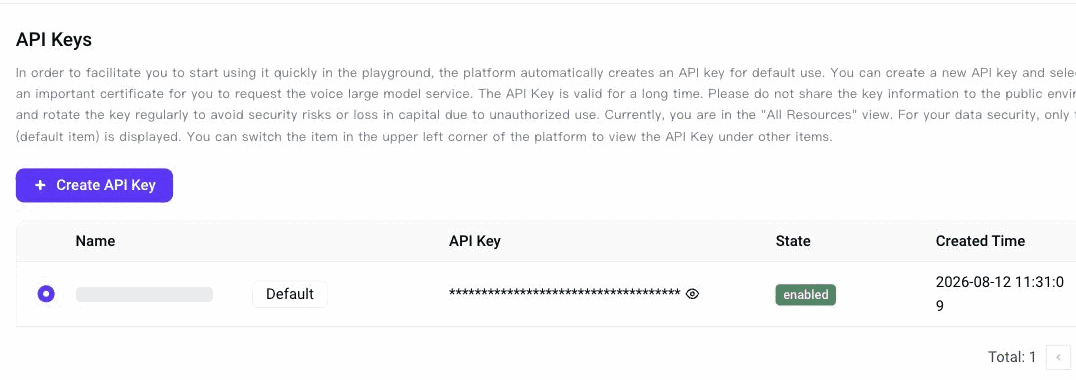
Seed Speech → API Key: a default key is created for you; Create API Key adds another. -
Generate a sample
In the studio: Cast → a character → the Voice block → Generate. Describe the voice in words, or leave the description empty and let it build the voice from the character's portrait.
Keep the sample dry — one speaker, no music, no effects. It becomes the reference attached to every scene that character speaks in, so anything baked into it comes back in every take.
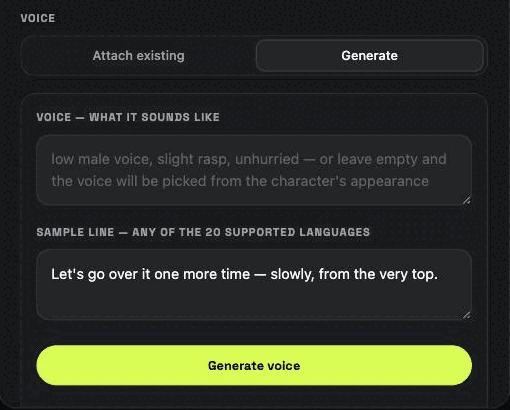
The Voice block in the character dialog: describe the voice, or leave it empty to build it from the portrait.
When something doesn't work
401 Invalid X-Api-Key- The classic one: that's the ARK key in the voice field. Go back to Seed Speech in the console and create a key there.
- Everything else works, voices don't
- Same cause as above — the video and image engines run on a different key, so they keep working while voices fail.
- The voice sounds like a whole scene with music
- Seed Speech can generate full audio scenes. Describe the voice itself, not the setting, and the studio's own preamble will keep it to a single dry speaker.
- Can I skip this key?
- Yes. Upload a 5–10 second audio file into the character's voice slot instead — the pipeline treats a generated sample and an uploaded one identically.
Other keys the studio can use: