The image key — Google Gemini
Optional. The studio draws stills on Seedream through the BytePlus key; this key adds Nano Banana as a second engine in the Art Dept and powers prompt translation. Nothing breaks without it.
-
Open AI Studio
Go to aistudio.google.com/apikey and sign in with a Google account. Any personal account works — Workspace is not required.
If the page refuses to open, check the region: Google AI Studio is unavailable in some countries, and a key cannot be created from there.
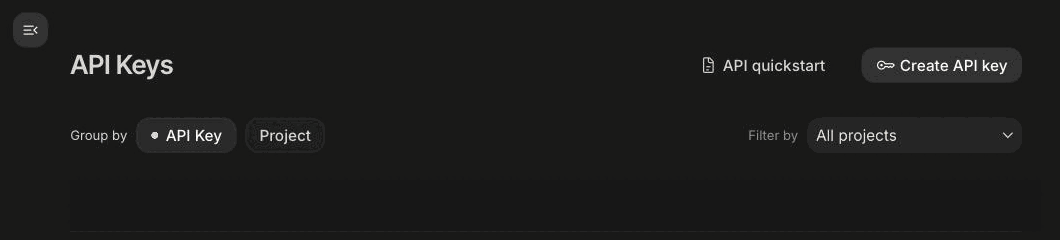
AI Studio → API Keys: Create API key is top right. -
Create the key
Create API key → pick an existing Google Cloud project or let it make a new one. The key appears immediately and can be copied as many times as you like — unlike BytePlus, it is not shown once.
Paste it into the studio: account menu → API keys → the Gemini field.
-
Decide whether you need the paid tier
This is the part worth understanding before you generate:
- Nano Banana (the flash model) has a free daily quota in AI Studio. Good for style tests and quick drafts.
- Nano Banana Pro has no free tier at all — about $0.13 per image, billed to the Cloud project behind the key. It is the stronger engine for detail and text inside the frame.
To use Pro, enable billing on that Cloud project. Without billing the key still works, but Pro requests come back as quota errors.
When something doesn't work
- "API key not valid"
- Usually a stray space on paste, or the key belongs to a deleted Cloud project. Create a fresh one — it costs nothing.
- Quota errors on every image
- You are hitting Pro without billing on the project. Either enable billing, or switch the Art Dept to the standard engine, which runs on the BytePlus key.
- The page won't open at all
- Regional restriction on AI Studio. In that case skip this key entirely: stills work on Seedream through the BytePlus key.
- Do I need it if the Art Dept already works?
- No. It is a second engine, not a requirement — take it when you want Nano Banana's look specifically.
Other keys the studio can use: