The upscaling key — fal.ai
Optional, but it changes the economics. Shoot at 480p and upscale the takes you keep: a native 1080p take costs about $1.87, while 480p plus upscaling comes to roughly $0.45 for the same result.
-
Create an account
Sign in at fal.ai with GitHub, Google or SSO. No separate registration form.
-
Create the key
Go to fal.ai/dashboard/keys → Add key → give it a name → Create key. It is shown once, so copy it right away.
Paste it into the studio: account menu → API keys → the upscaling field.
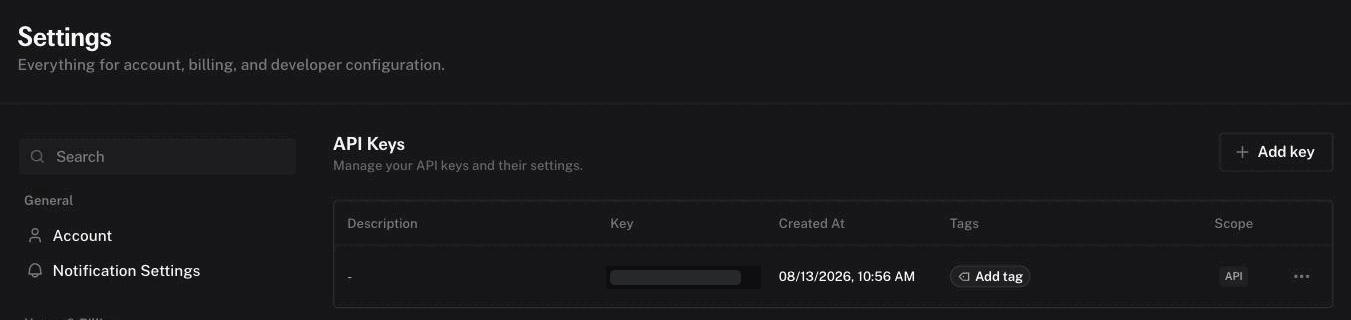
Settings → API Keys: Add key is on the right, Billing in the left menu. -
Top up the balance
Billing is pay-as-you-go, no subscription. $5 covers something like fifty to a hundred upscaled takes, depending on which engine you pick.
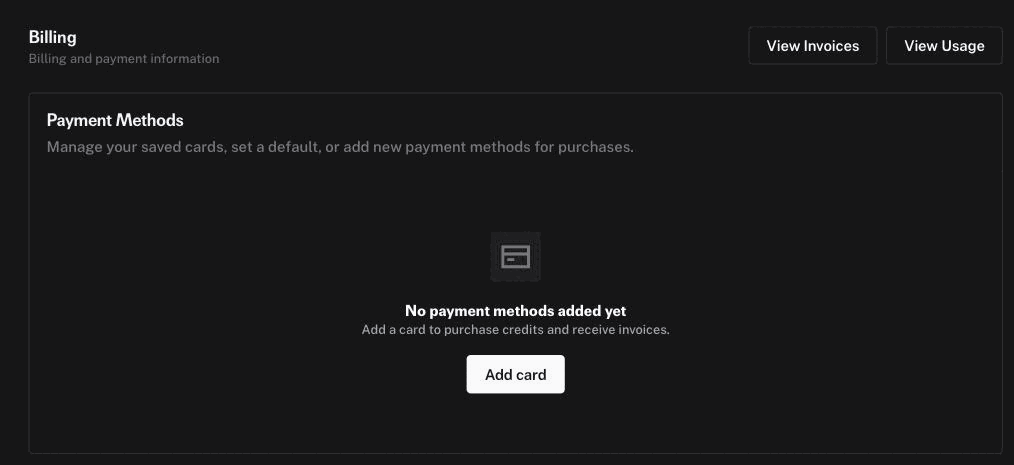
Billing → Add card. Until a card is added, upscaling has nothing to spend. -
Upscale a take
Open a finished take in the studio and press Upscale. Five engines, priced per five-second take at 1080p:
- Standard — $0.04, ByteDance with the preset made for generated footage. The sensible default.
- Pro — $0.36, same engine at its top tier.
- Proteus — $0.10, Topaz all-round, stays close to the original frame.
- Starlight — $0.10, Topaz diffusion — redraws detail, strongest on faces.
- Gaia HQ — $0.10, Topaz gentle, for takes that are already clean.
The upscaled copy is kept alongside the original, with an SD/HD switch over the video — upscaling can smear faces, and the original must stay reachable.
When something doesn't work
- "fal.ai rejected the key"
- The key is wrong, revoked, or copied with a stray character. Create a new one — they are free and unlimited.
- Upscaling starts and then fails
- Usually an empty balance. Check billing on fal; the studio surfaces the engine's own error text.
- Can I attach a reference photo to guide the upscale?
- No — none of the engines accept images or prompts, only video. Upscalers rebuild detail from the frame itself; there is no input for "this is what the person actually looks like".
- How long does it take?
- Roughly 10–30 seconds of processing per second of video, so a five-second take runs one to three minutes. The studio shows a live badge and keeps working while it runs.
Other keys the studio can use: